Email Settings : How to Change your Email Settings
To change the emails you receive:
Click on More menu in the top-right corner and select “Settings”

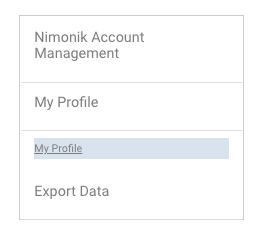
Go to “My Profile” in the right hand menu.
Users can view the different email options available for them listed as checkboxes. Click the checkboxes and then click on "Update" to save the changes.
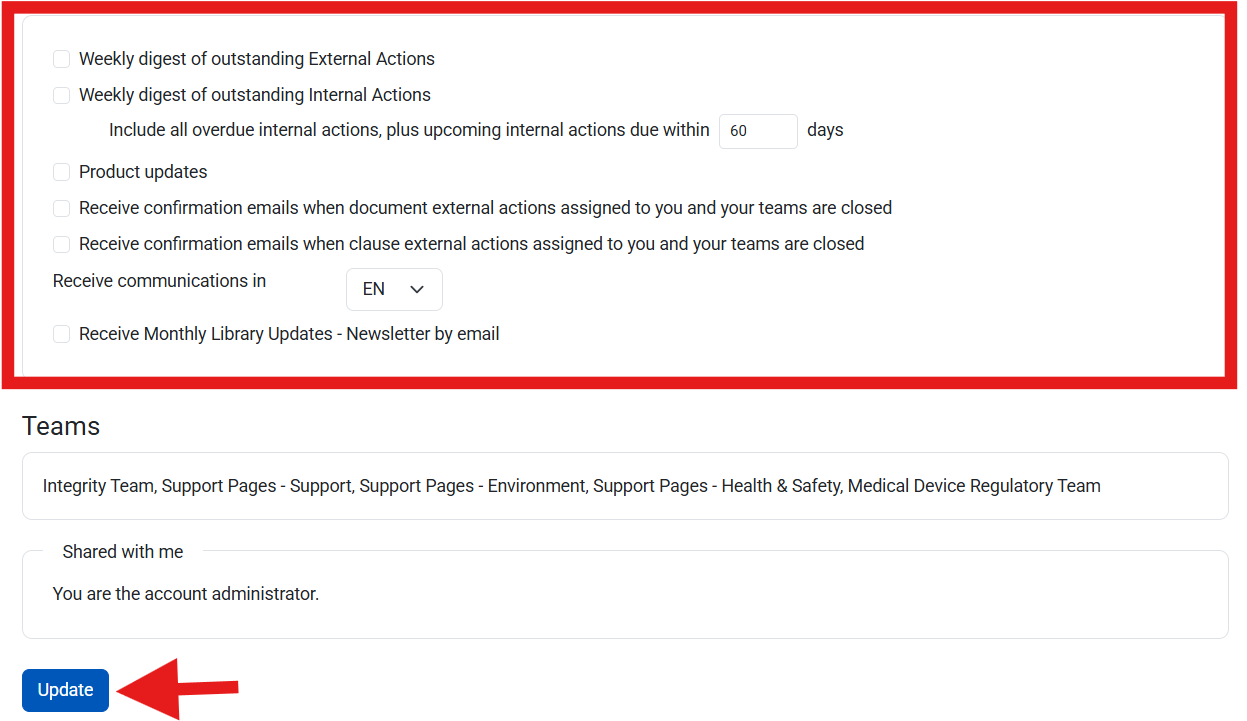
Weekly Digest Emails
- Outstanding External Actions
- Outstanding Internal Actions
For the Outstanding Internal Actions Digest, users can choose how far in advance they would like internal actions to be included in their weekly digest.

This helps reduce noise and aids to include only the relevant upcoming actions
Please note that certain emails, such as those that are sent when you are designated the responsible party for a document or action, cannot be unsubscribed from.
Emails: What We Send
| Email Sent | Filter | Frequency |
| External Actions page | by User Responsibility (account Administrators receive all Actions) | Monday at 2PM EST |
| Internal Actions Page | by User Responsibility (account Administrators receive all Actions) | Monday at 2PM EST |
| Responsibility for a CO Document or CLCO | by Document or CLCO | When a user is made responsible for a document or clause, they receive an email |
| Library Updates (Newsletter) | by Company Sectors, Jurisdictions, Document Type | 3rd week of the month |
| Internal Actions | by User responsibility | The receiver receives an email when action is issued.* The issuer of the email receives and email when the action is completed. |
| Marketing Emails | None | Every month |
| Corrective Actions Reminders | by User responsibility | 7 Days before, Day of and Every 7 days after due date |
| Corrective Action | by User responsibility | Email sent on assignment and email sent to issuer of action when it is completed |
| Account Renewal Reminders | Account Owner | 90 days, 60 days, 30 days before renewal date of the account |
*Please note: If the Internal Action repeats, no subsequent emails are sent to the responsible party informing them that they have been assigned to an internal action. In other words, If you assign an Internal Action that repeats once a week, Nimonik does not send an email per each repeating Internal Actions. The responsible party will only receive an email one time when the action is issued.
Library Updates Email
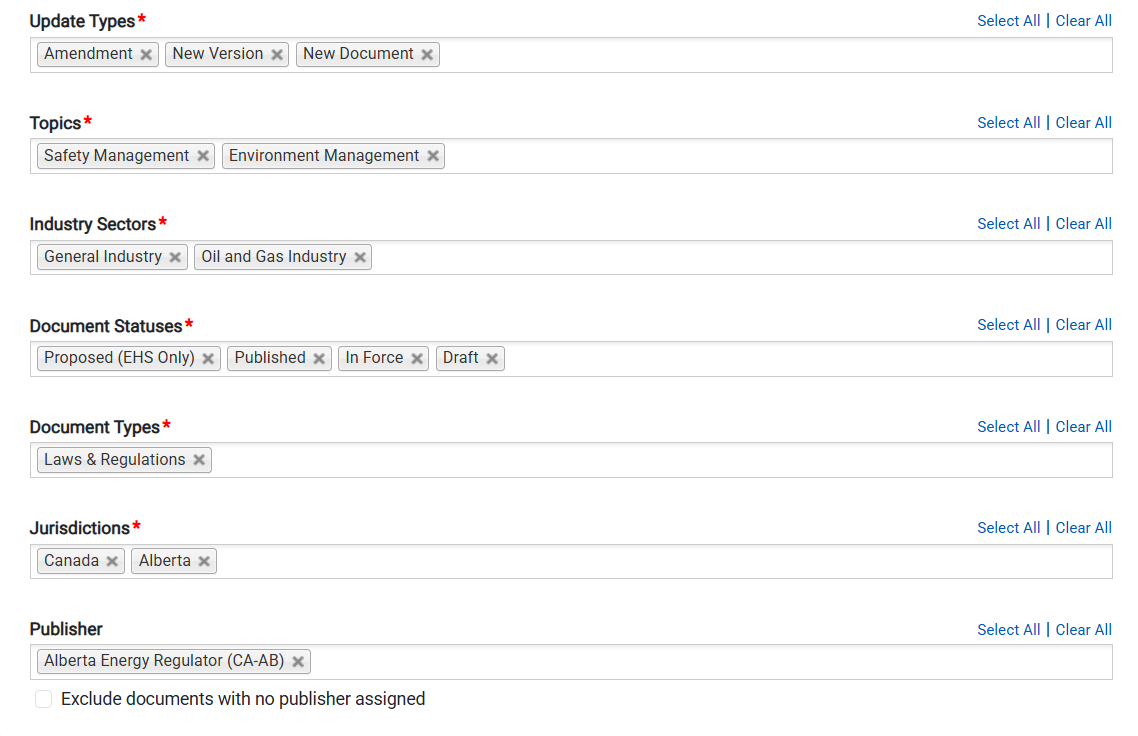
The Library Updates email provides a monthly summary of regulatory changes in the jurisdictions that your account is subscribed to. Each user can customize this monthly email with the following filters in their “My profile” page:
- Update Types
- Topics
- Industry Sectors
- Document Status Types
- Document Types
- Jurisdictions
- Publishing Authority
A new option has been added to the email settings section of the edit my profile page that allows users to choose how far in advance they would like internal actions to be included in their weekly digest.
Was this article helpful?
That’s Great!
Thank you for your feedback
Sorry! We couldn't be helpful
Thank you for your feedback
Feedback sent
We appreciate your effort and will try to fix the article