This article describes how to bulk close out externa actions from the External Actions Page.
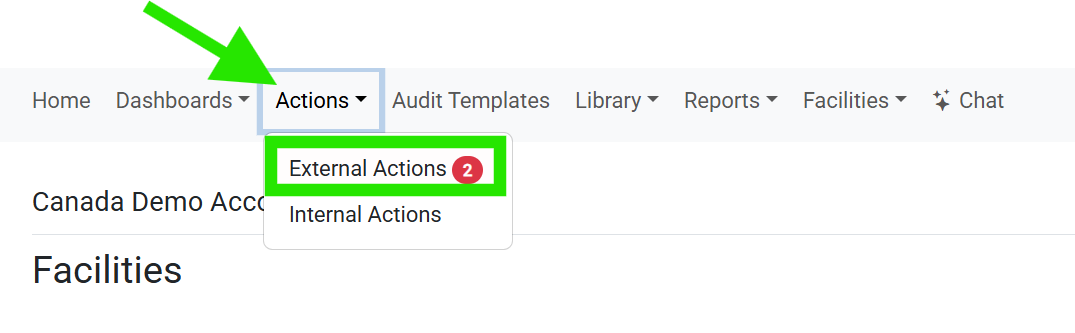
1. To bulk close out External Actions, navigate to the "External Actions Page" from the top navigation bar:
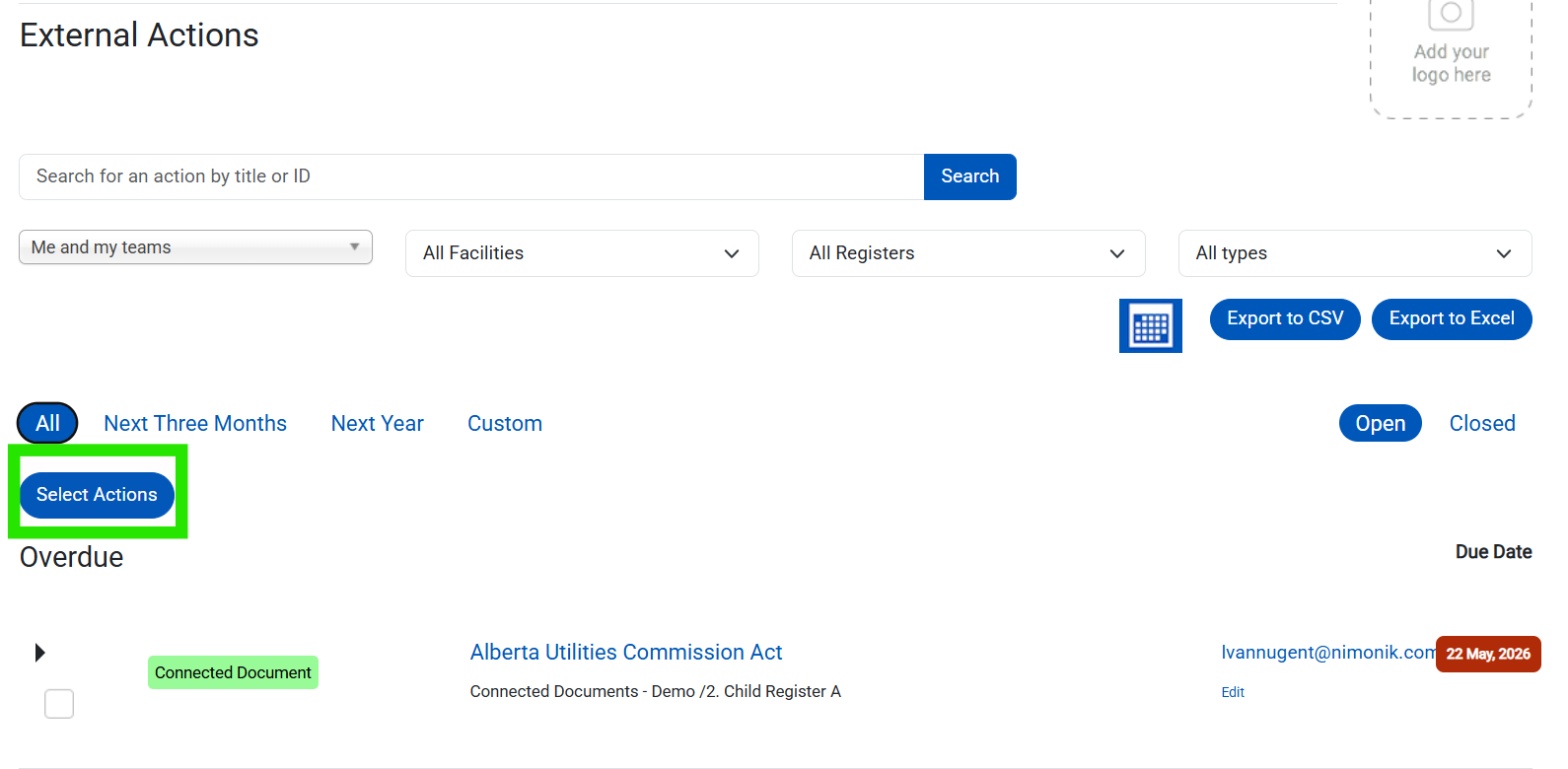
2. From the "External Actions Page", click on the "Select Actions" button:
3. Select the External Actions you would like to close the click the "Close Actions" button:
You can also click the top checkbox to select all External Actions on the page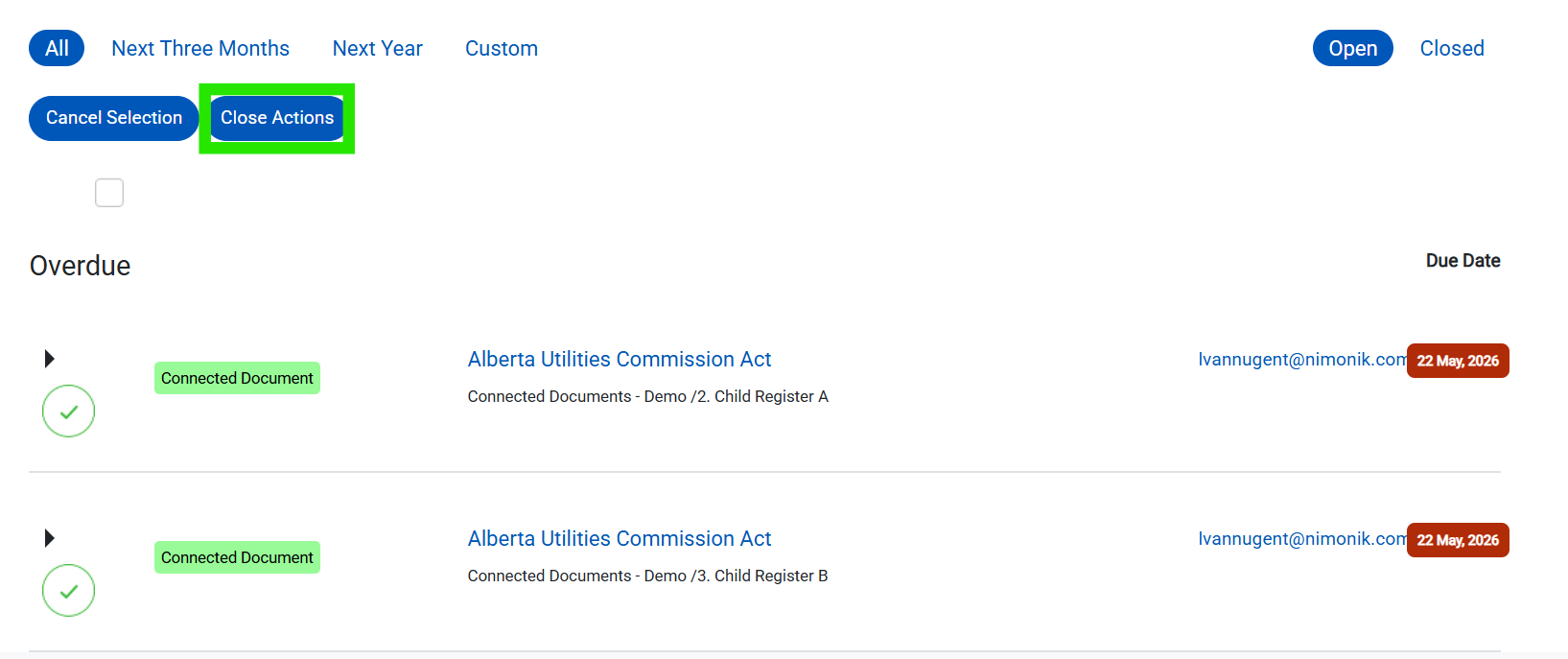
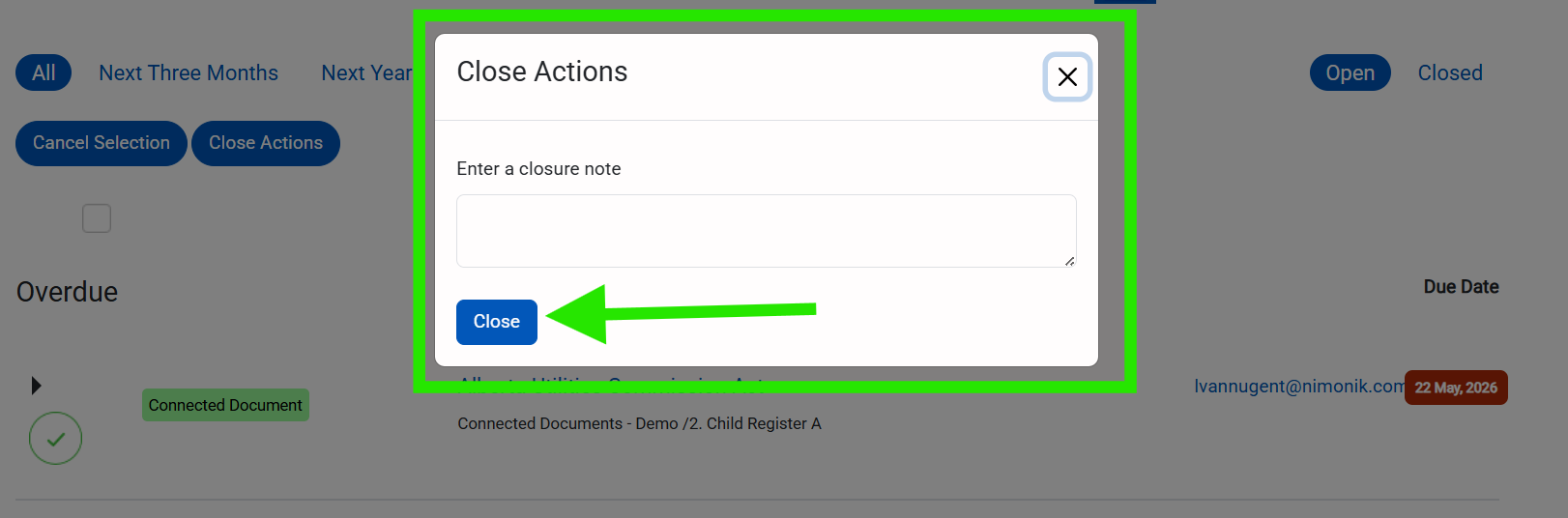
4. Enter the action closure note and click the "Close" to save and close these actions:
Please note that you can only bulk close the actions shown one page at a time.Was this article helpful?
That’s Great!
Thank you for your feedback
Sorry! We couldn't be helpful
Thank you for your feedback
Feedback sent
We appreciate your effort and will try to fix the article