Assessment Update Restrictions allow account admins to control which clauses can be assessed by General and Restricted users.
Please note that the restriction is currently only applied to the Clause Review page, not the Register page.
How to Enable Assessment Update Restrictions
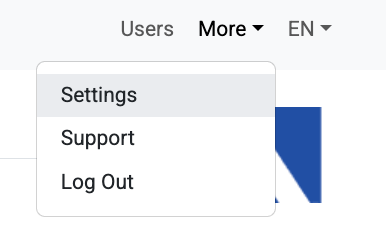
In order to enable the restriction, select ‘Settings’ in the ‘More’ menu
On the resulting page, scroll down until you reach the ‘Register Settings’ section

Click to check the checkbox next to ‘Restrict clause assessment updating to responsible party’
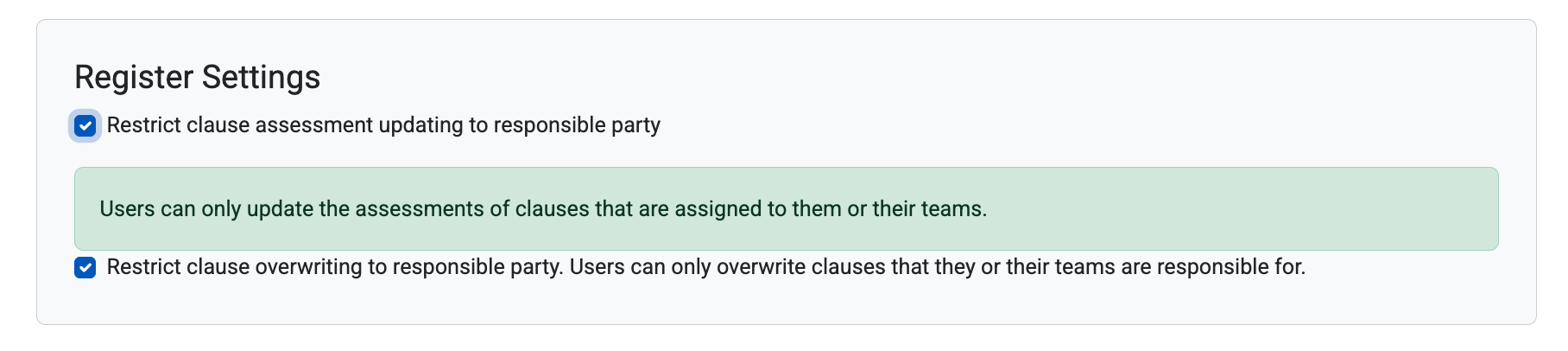
Clause overwriting restrictions are now active in your account
When Assessment Update Restrictions are Enabled
When Assessment Update restriction is enabled (checkbox is checked), general and restricted users will only be able to update the assessments of clauses that are either assigned to them, or to their teams. Admins will still be able to update any clause in the account.
If a general or restricted user accesses the ‘Clause Review’ page of a clause that is assigned to them or their team, they will be able to update the assessment normally.
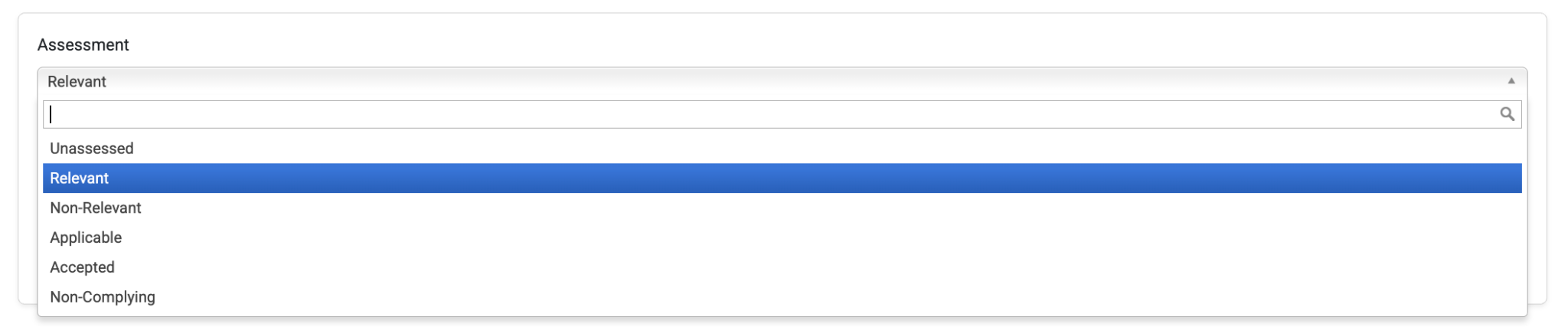
If a general or restricted user accesses the ‘Clause Review’ page of a clause that is not assigned to them or their team, they will be able to see the current assessment, but not update it. If they hover over the assessment, a tooltip will inform them that only the responsible party can update it.

Was this article helpful?
That’s Great!
Thank you for your feedback
Sorry! We couldn't be helpful
Thank you for your feedback
Feedback sent
We appreciate your effort and will try to fix the article