By default, users are taken to the Facility page when they sign in or when they click Home.
Users can now choose a different default home page, allowing them to land on another page when they first sign in. Available options include:
- Facilities
- Nimonik Library
- Custom Library
- Registers
- Audits
- Internal Actions
- External Actions
- Document Clauses
Users can change their default home page by going to My Profile and updating the Default Home Page setting shown below.

Account Administrators can also set the default home page for new users on the Edit Company Information page.
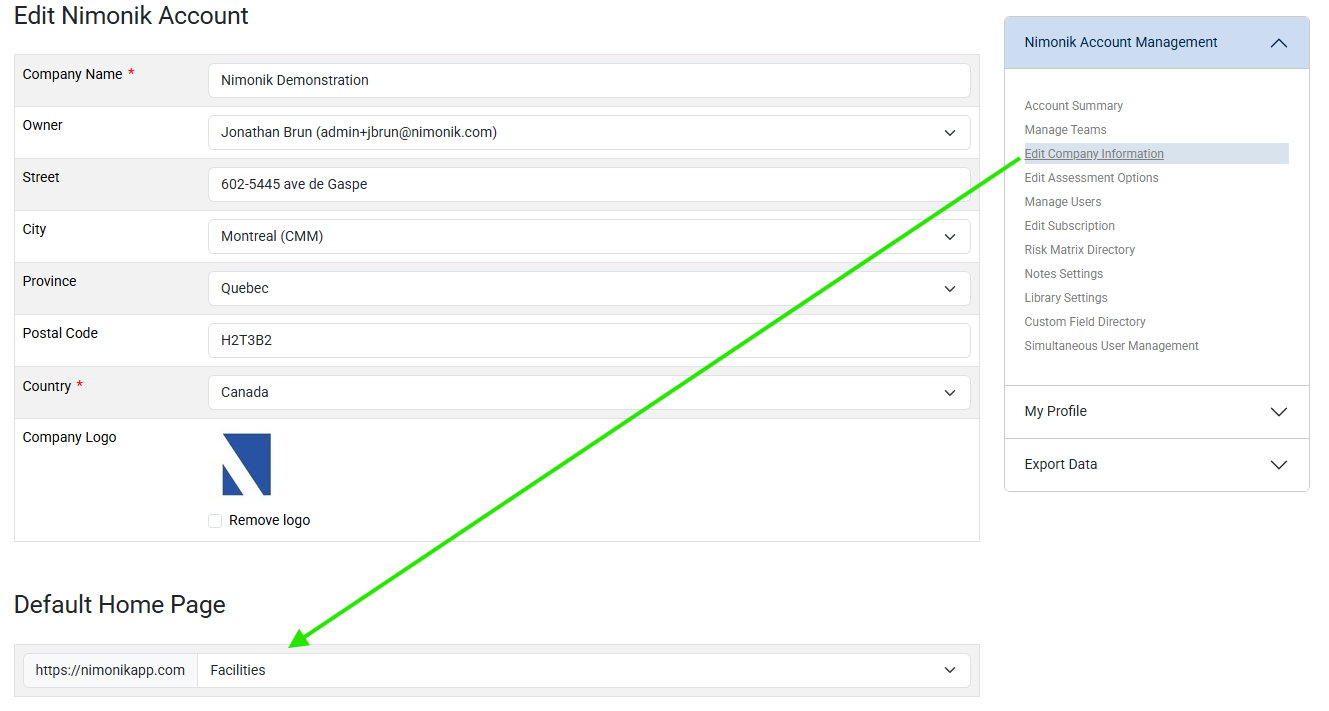
Please note that changing the default home page only applies to new users added to the account. It does not update the home page for existing users.
Was this article helpful?
That’s Great!
Thank you for your feedback
Sorry! We couldn't be helpful
Thank you for your feedback
Feedback sent
We appreciate your effort and will try to fix the article