Users can create a new register from the Library page by following the steps below:
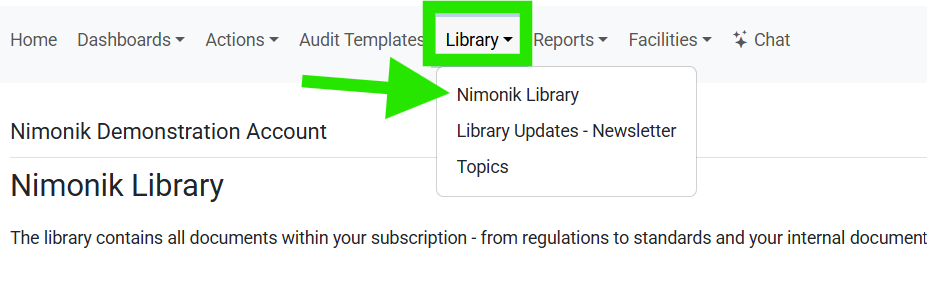
1. Navigate to the Nimonik Library using the top navigation bar:
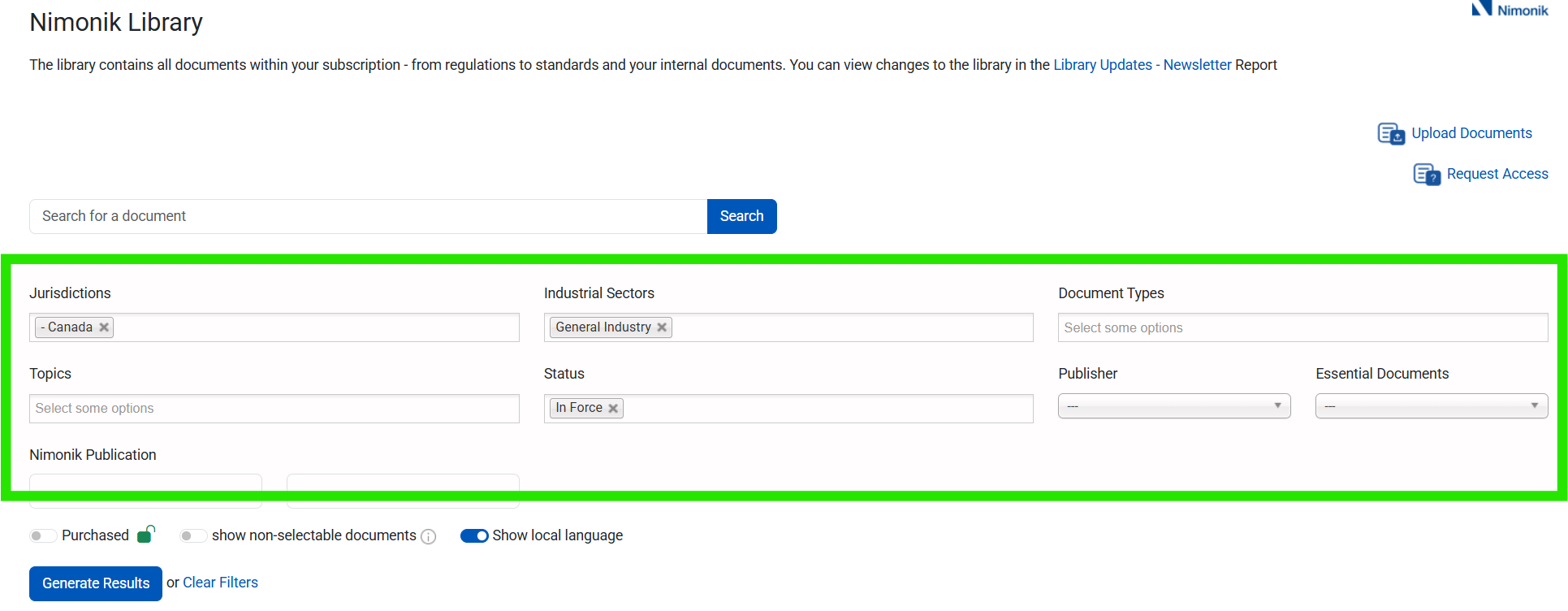
2. Search for documents by using the filters provided in the search tool:
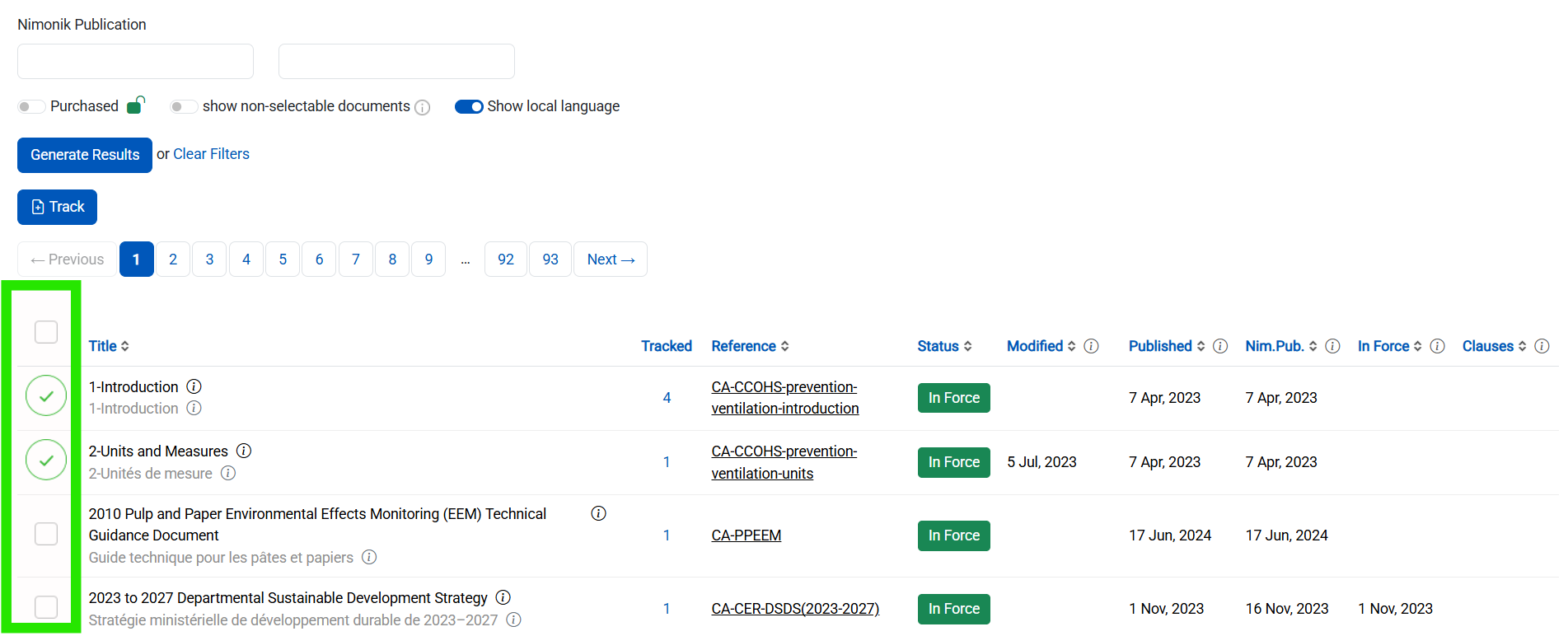
3. Click the Left-Hand checkboxes to select which documents you want tracked for updates:
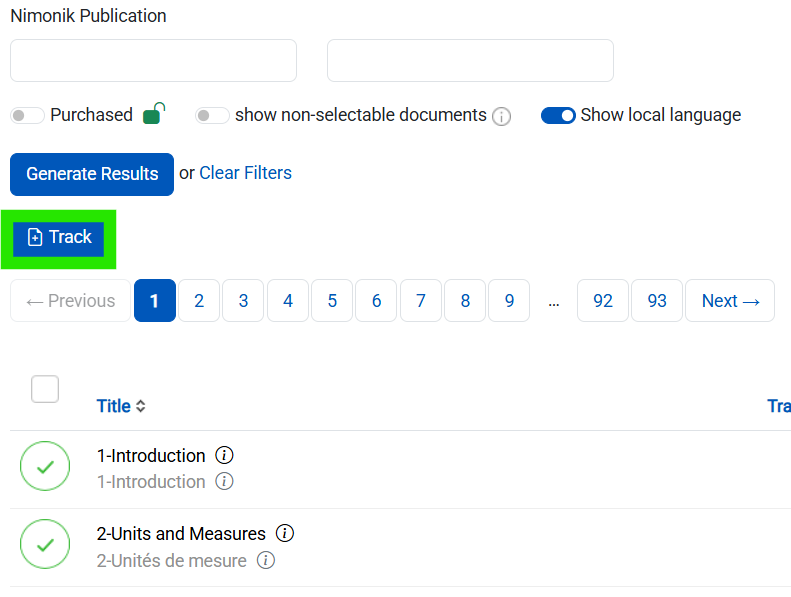
4. Once you have checked the documents, click the Track button:
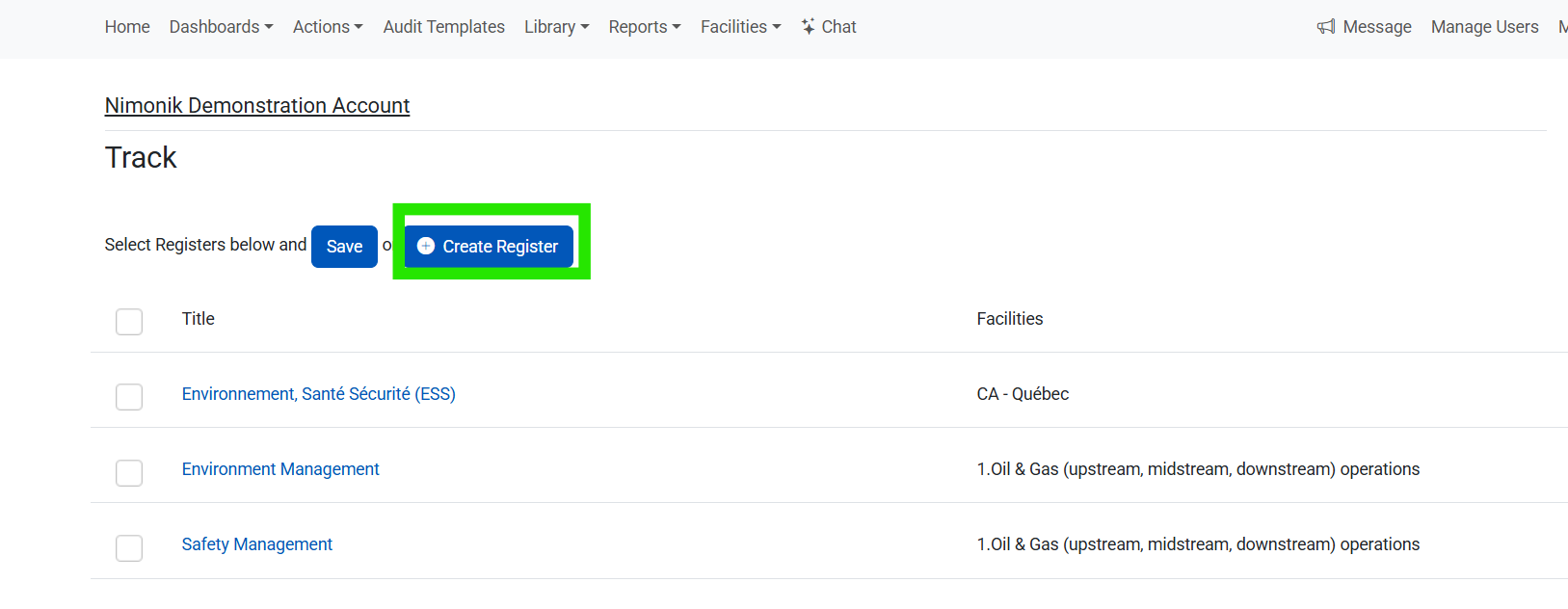
5. On the Track Page, Click the Create Register button:
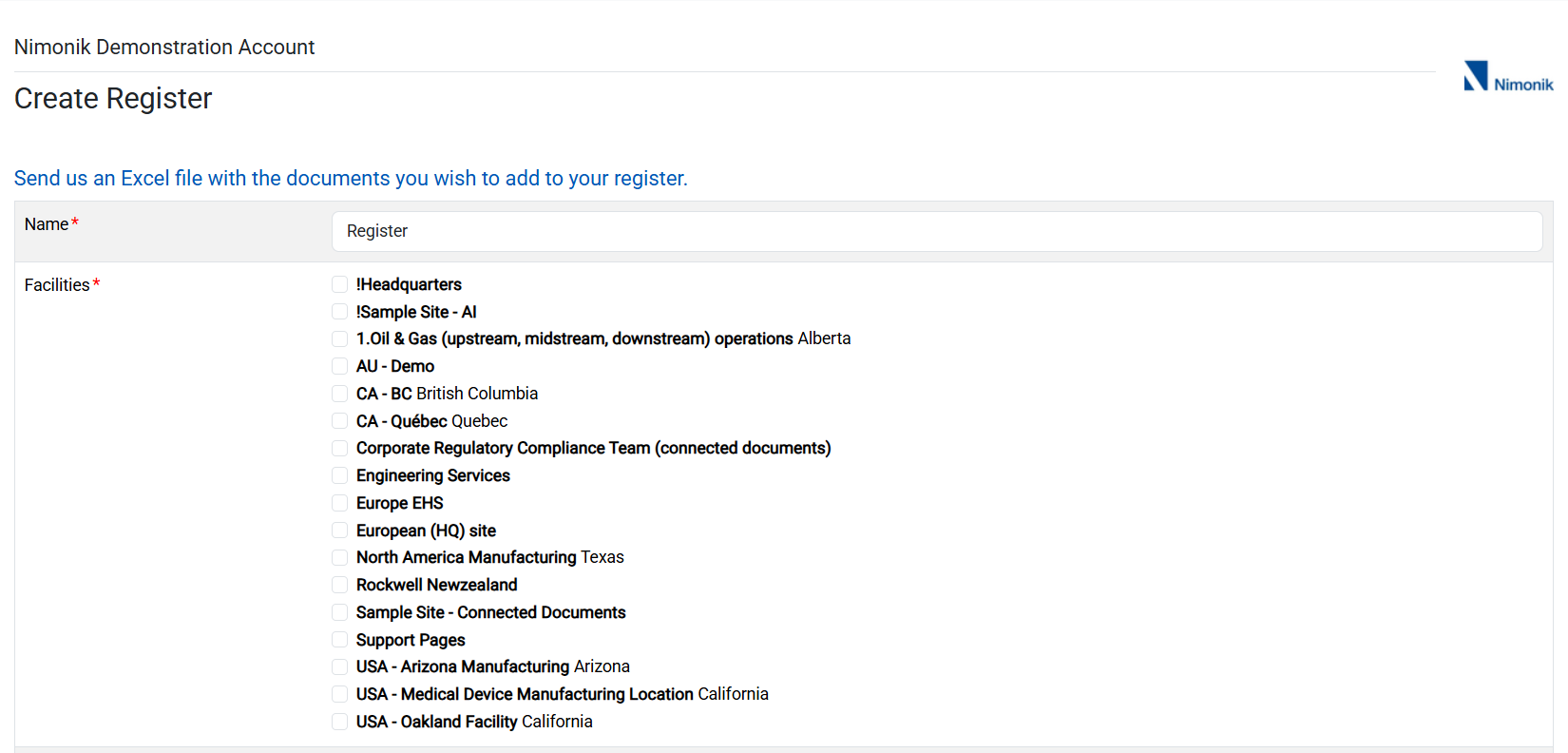
6. Enter in the new Register data:
For more information about creating registers click HERE
Was this article helpful?
That’s Great!
Thank you for your feedback
Sorry! We couldn't be helpful
Thank you for your feedback
Feedback sent
We appreciate your effort and will try to fix the article