This article describes how users can bulk edit clauses within the Clause-level of a document. Click here to learn more information about "Clause Level Compliance Obligations".
1. Navigate to the clause level of a document within the "Register":
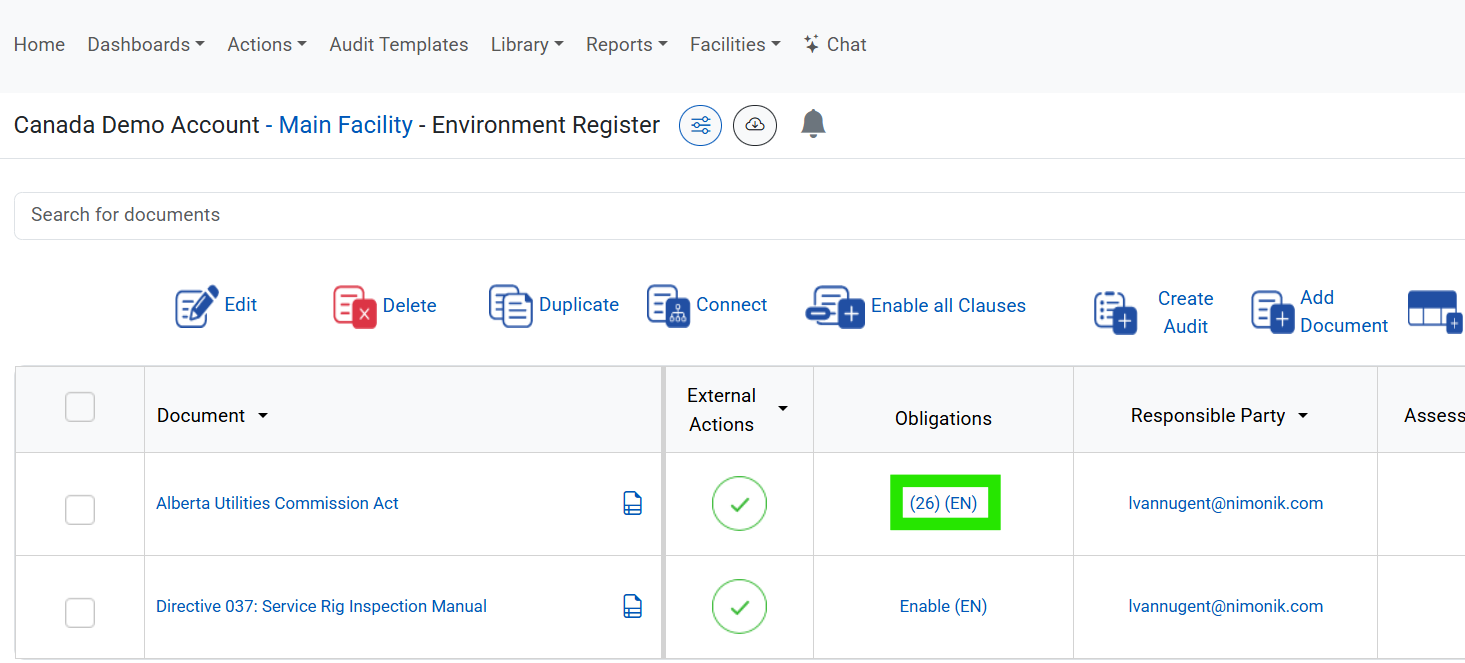
2. Select the clauses you want to bulk edit by clicking on the checkboxes beside the clause:
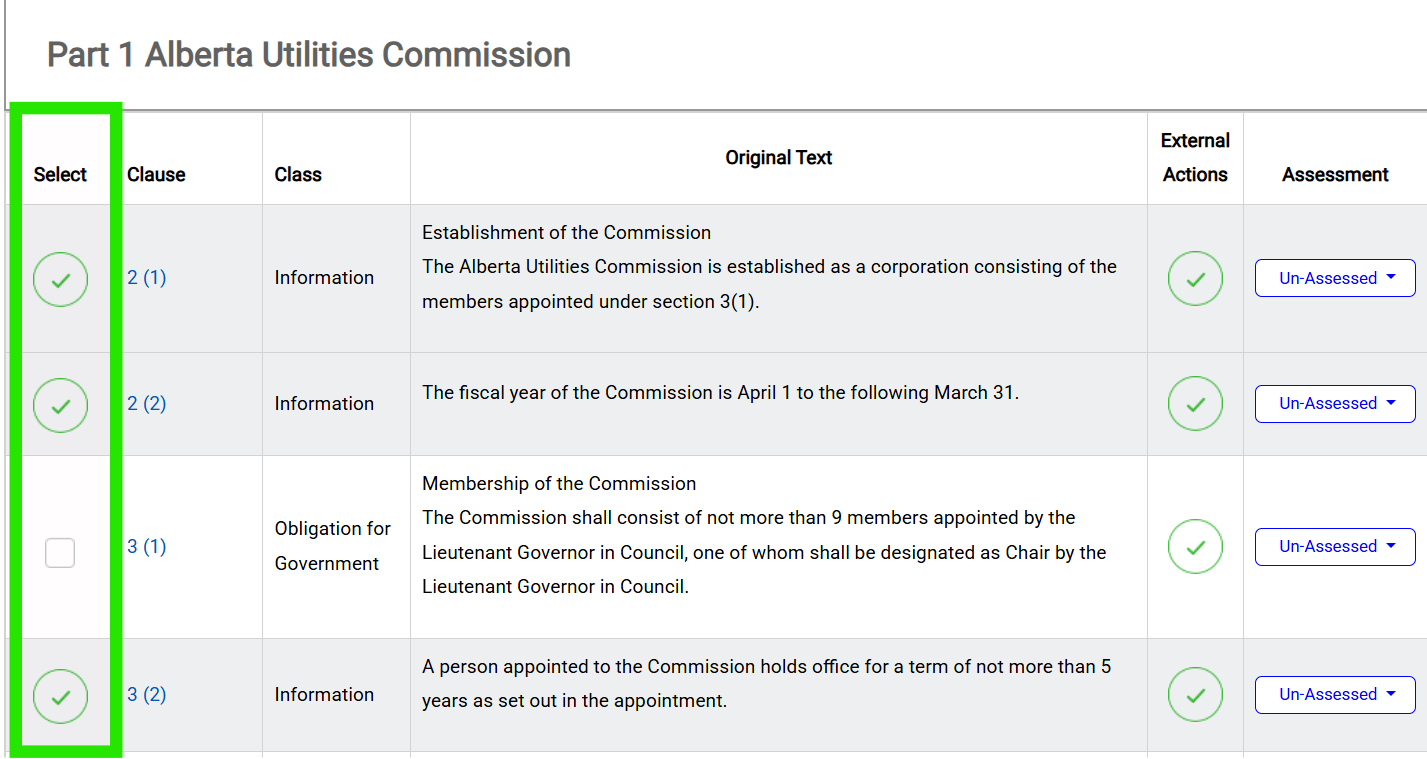
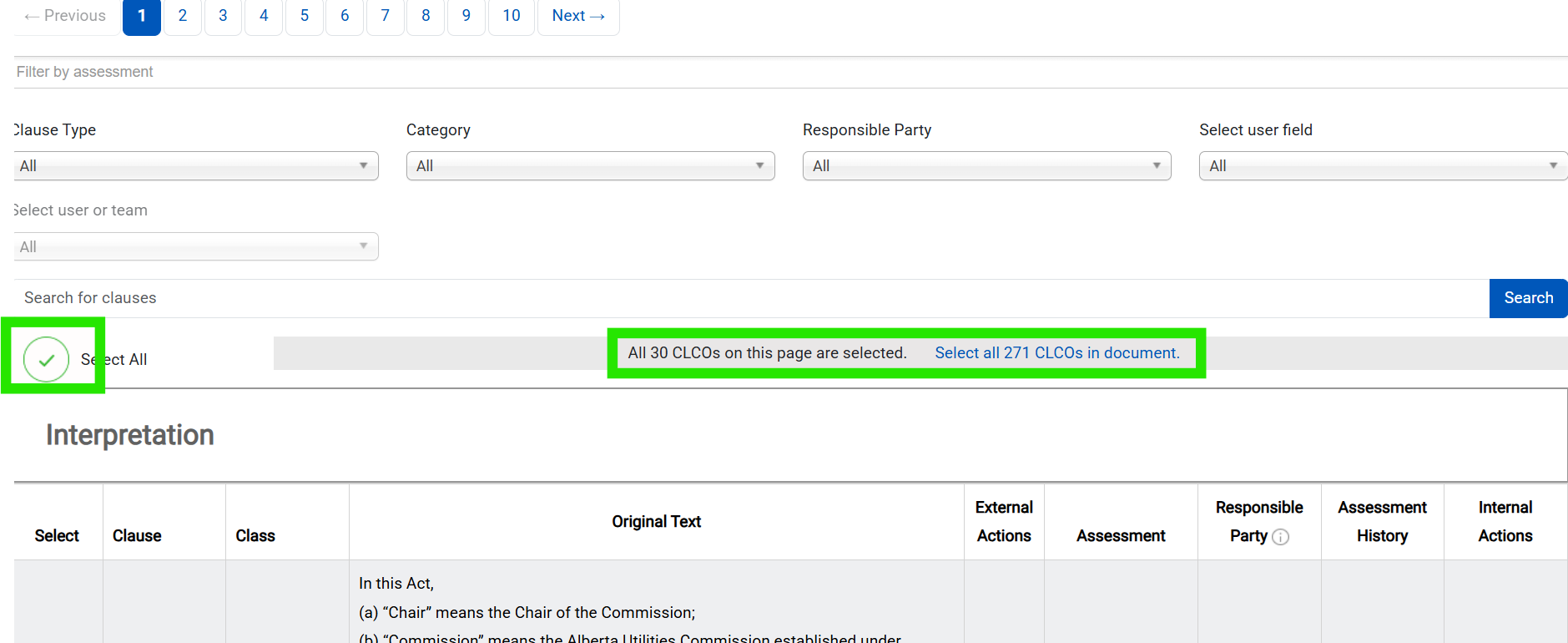
You can select the top checkbox to select all clauses on the page or all clauses within the document
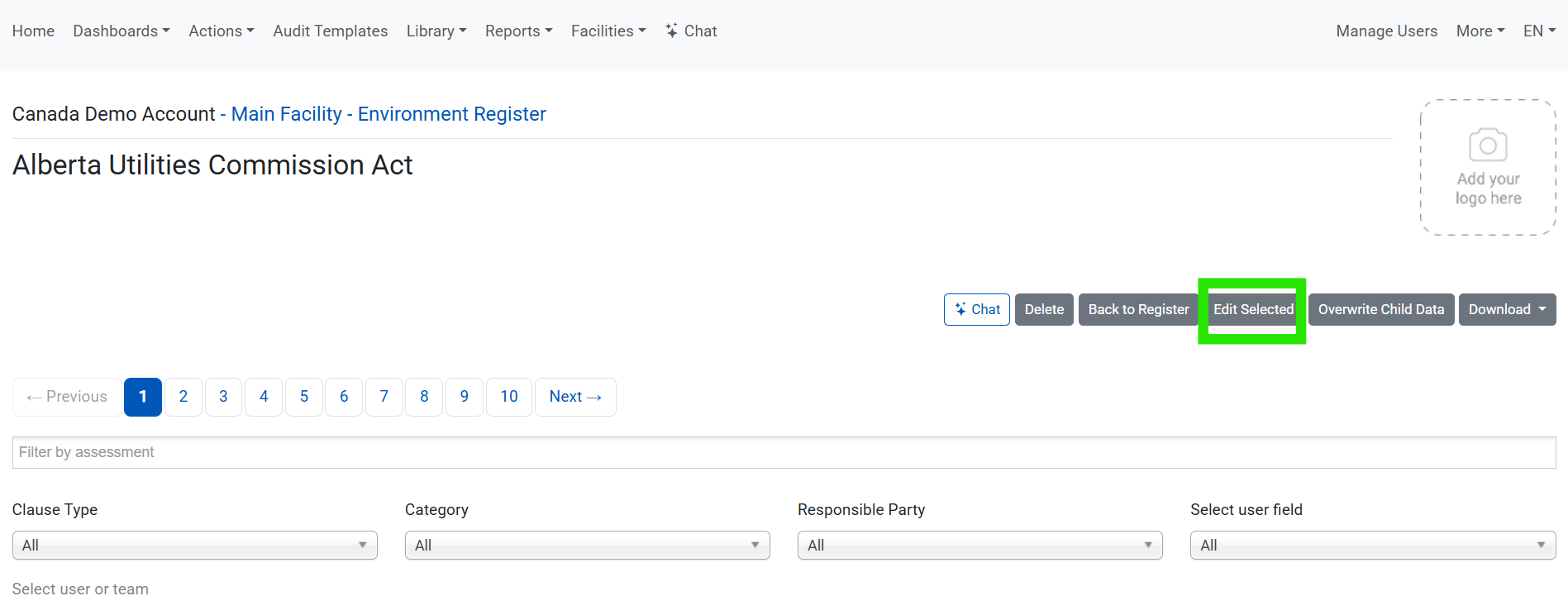
3. Scroll back to the top of the page and click the "Edit Selected" button:
4. Fill in the fields that you require to be bulk edited. Custom fields will appear in the list if they were enabled for the register:
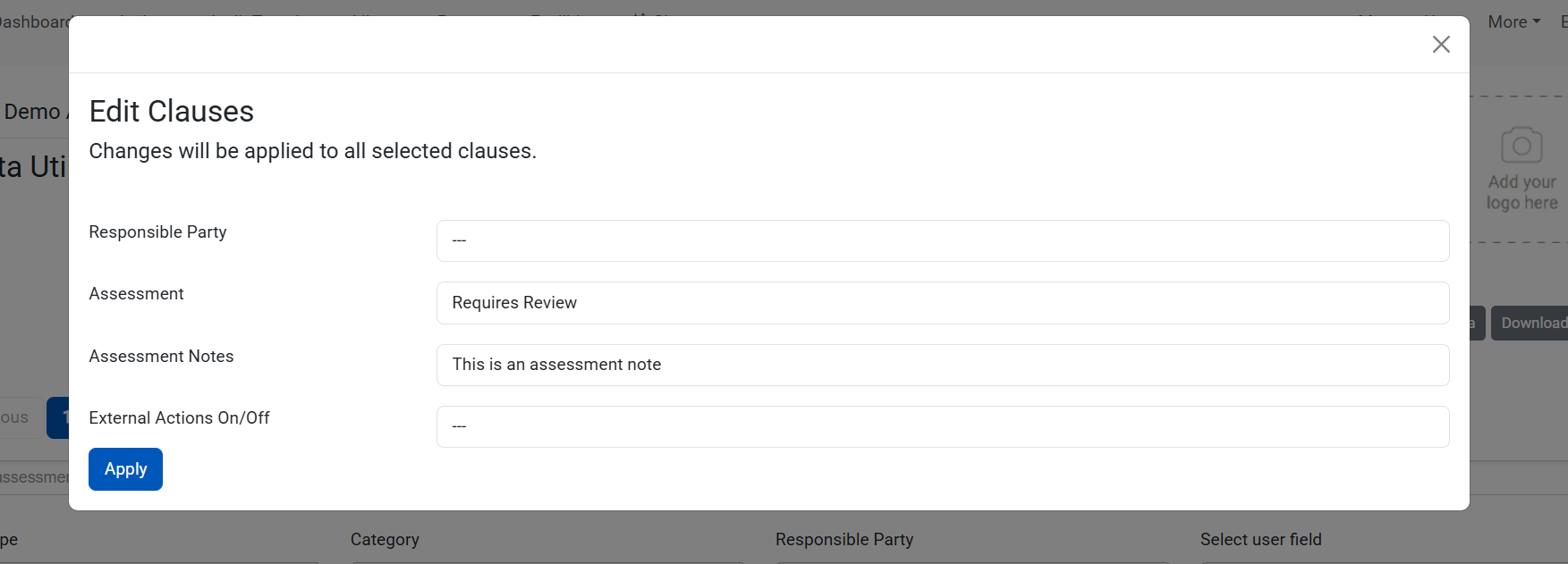
Leaving a field blank in this menu will maintain existing data and will not be overwritten.

EXAMPLE: Leaving the assessment field blank in this menu will keep the clause status it originally had prior to opening the bulk edit menu
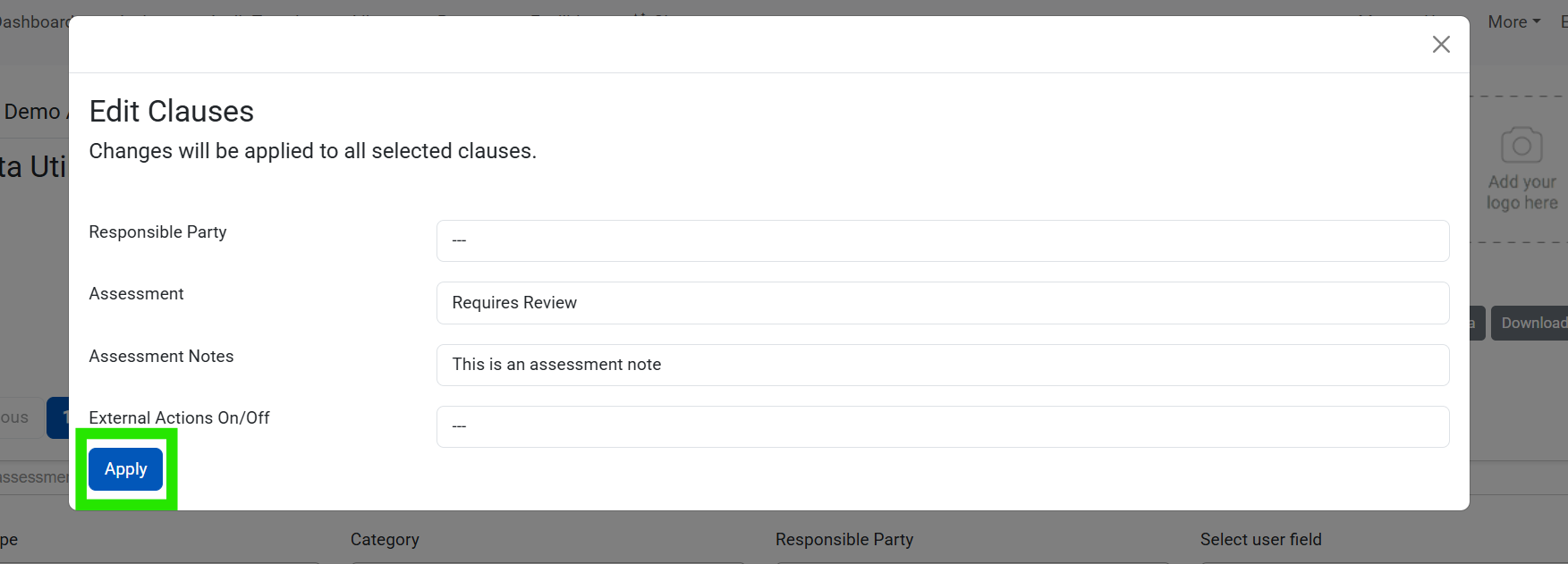
5. Click the "Apply" button so that the changes take effect
Was this article helpful?
That’s Great!
Thank you for your feedback
Sorry! We couldn't be helpful
Thank you for your feedback
Feedback sent
We appreciate your effort and will try to fix the article