This page details instructions on how to use Nimonik's built in Block Management feature.
Nimonik's Block Management feature lets administrators unlock standards on a self-serve basis, without needing to contact Nimonik support. Each Block subscription includes a set number of slots per publisher, and administrators can use this page to check remaining slots and unlock specific documents as needed. This guide walks through where to find your Block subscription details and how to add documents to a Block.
TABLE OF CONTENTS
Block Management Overview
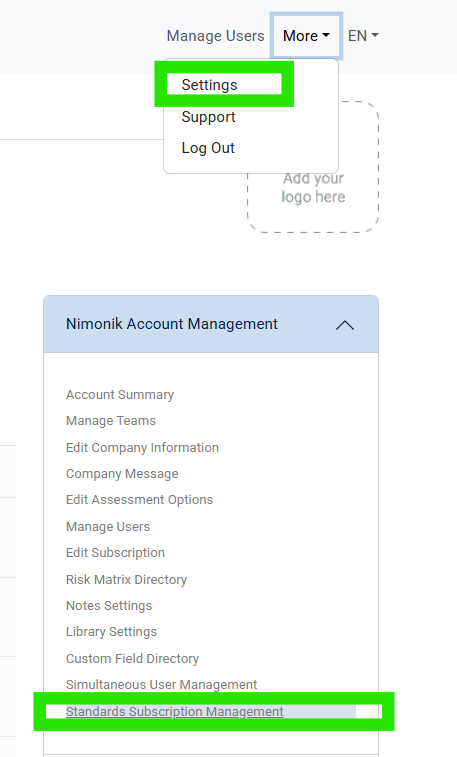
Access the Standards Subscription Management page by clicking on More --> Settings in the top navigation bar and then clicking on it in the Nimonik Account Management Panel.
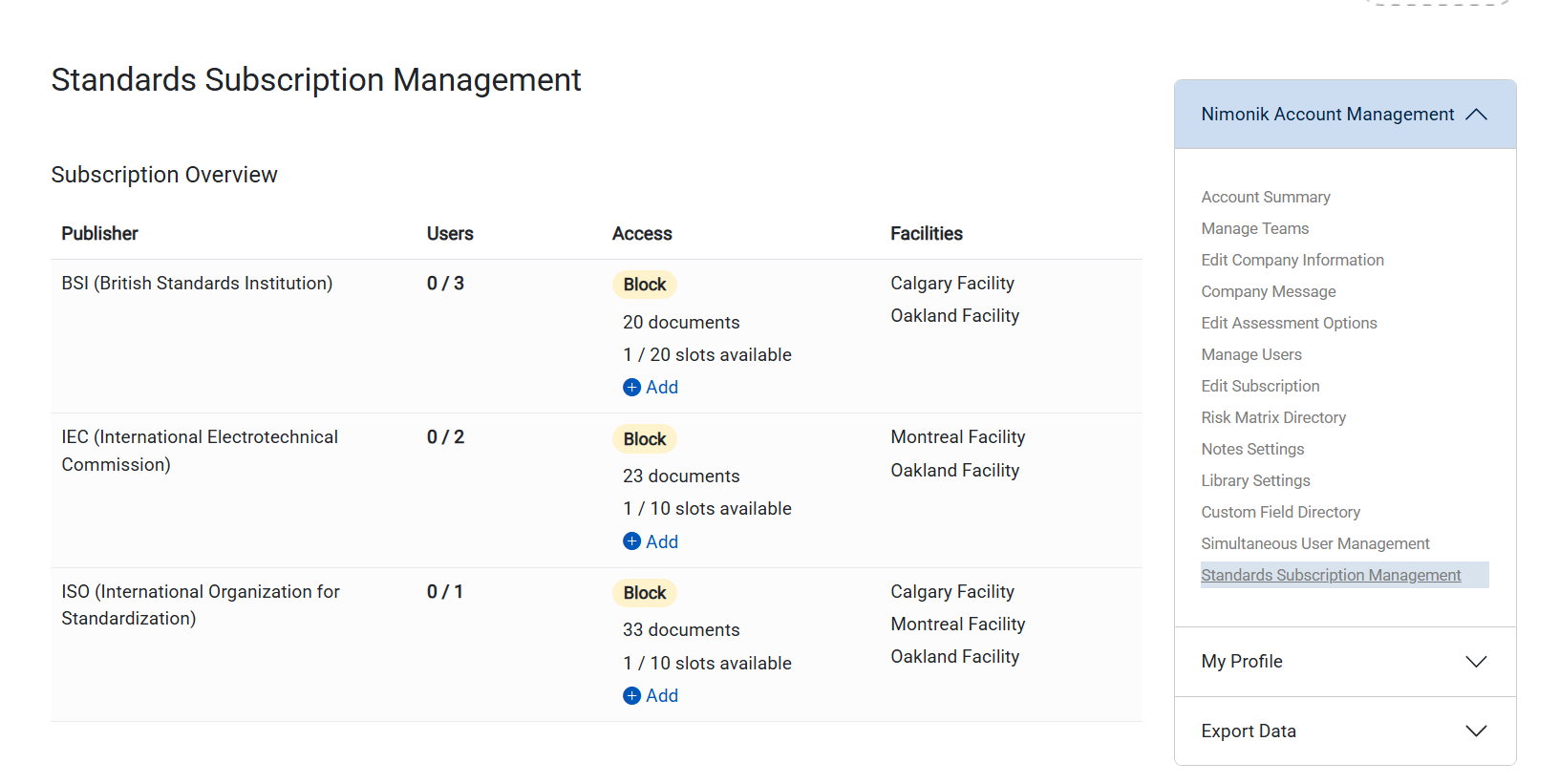
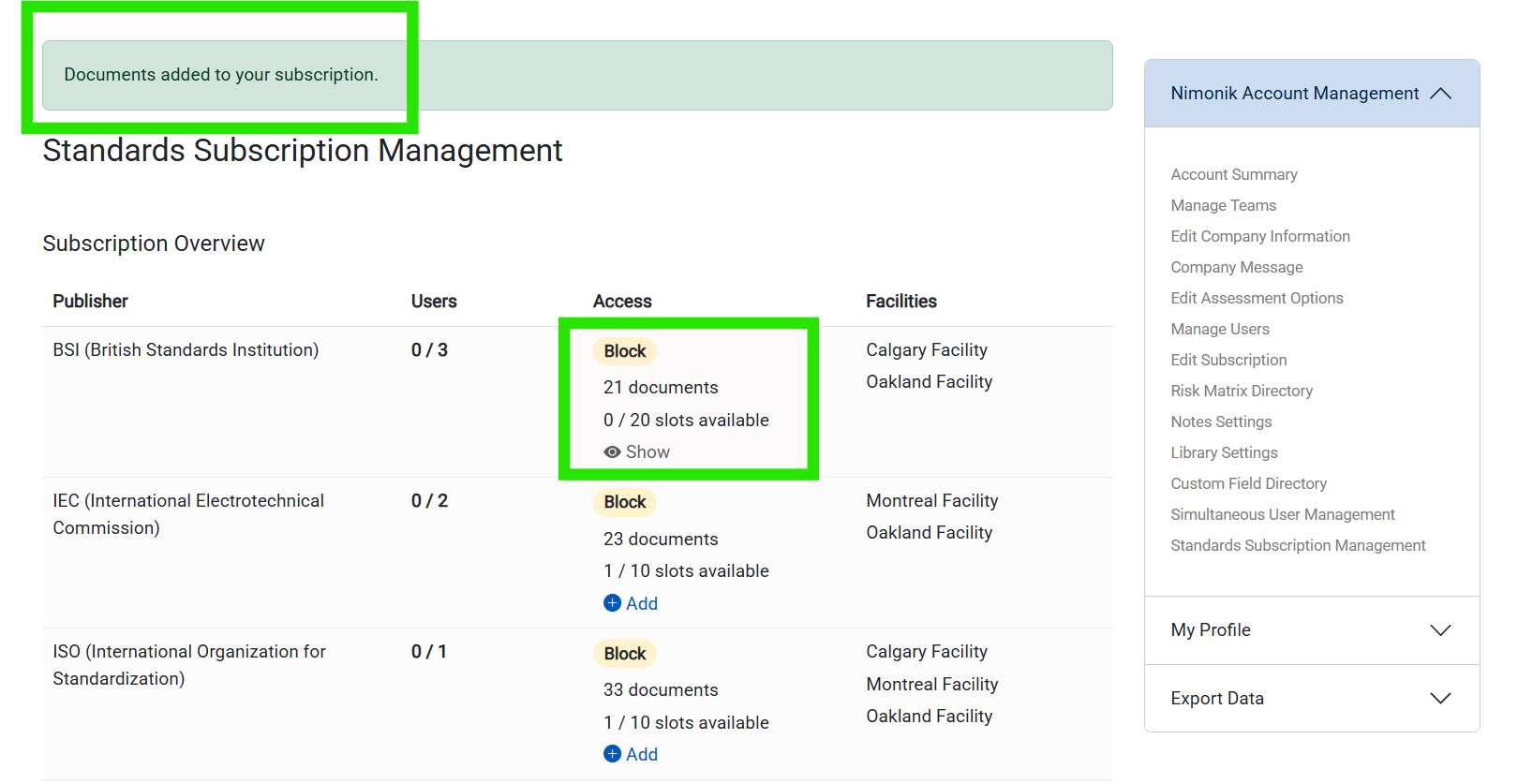
Standards Subscription Management Page - Blocks
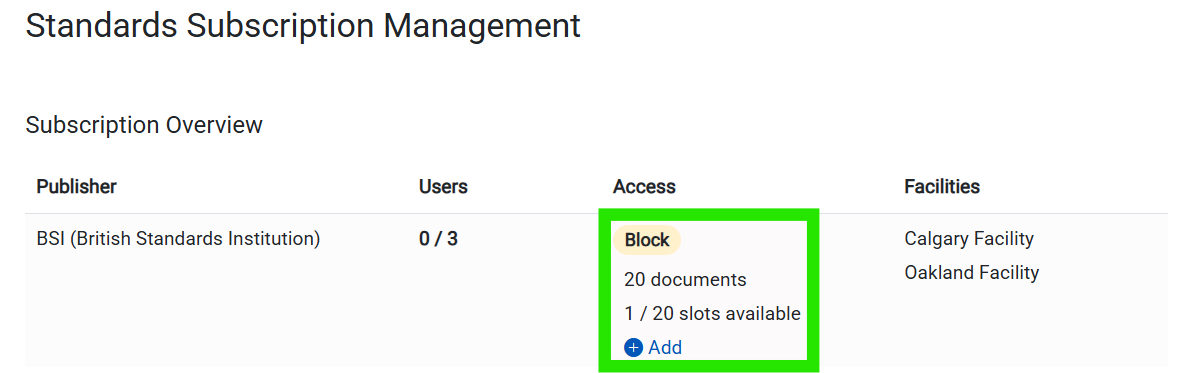
From the Standards Subscription Management Page, you can view all publishers accessible on your subscription. For any with the access type "Block", there will be a number count out of a total for how many block slots are left for that publisher.
Adding Documents to a Block
1. To add a document to a Block, first check if there are any open slots available.
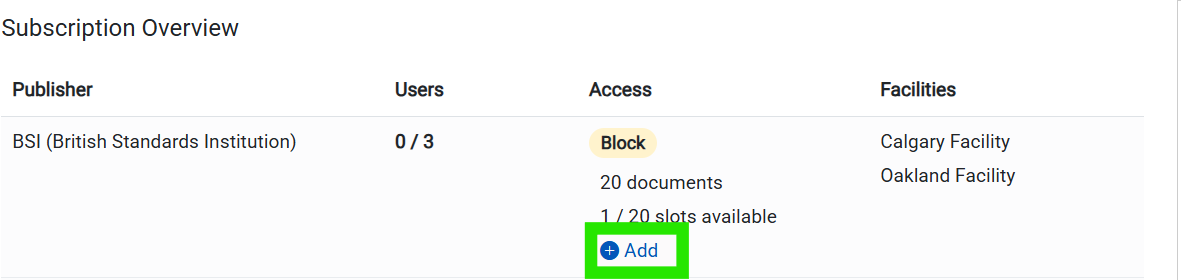
2. Next, click on the blue plus button that says "Add" to open the Block Management Interface.
3. The Publisher section will expand to show you a searchable list of all documents from that publisher. It will also list all current standards from that publisher that are already unlocked.
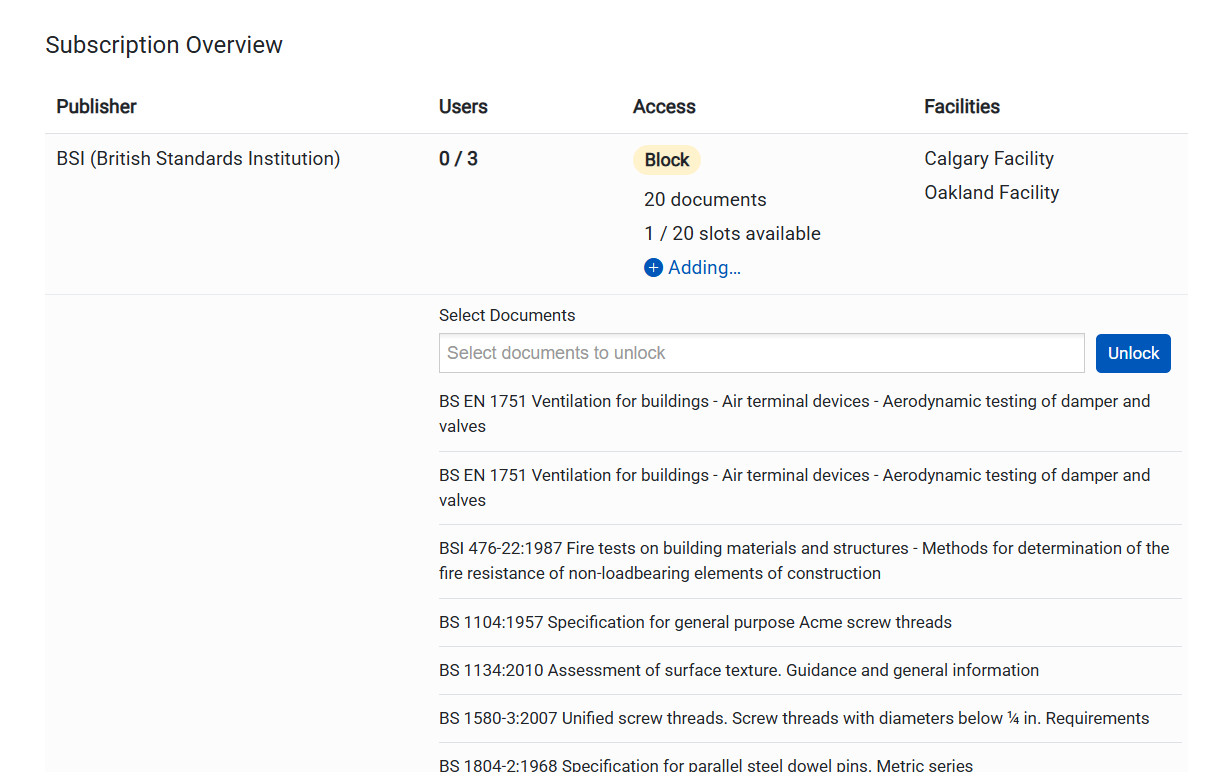
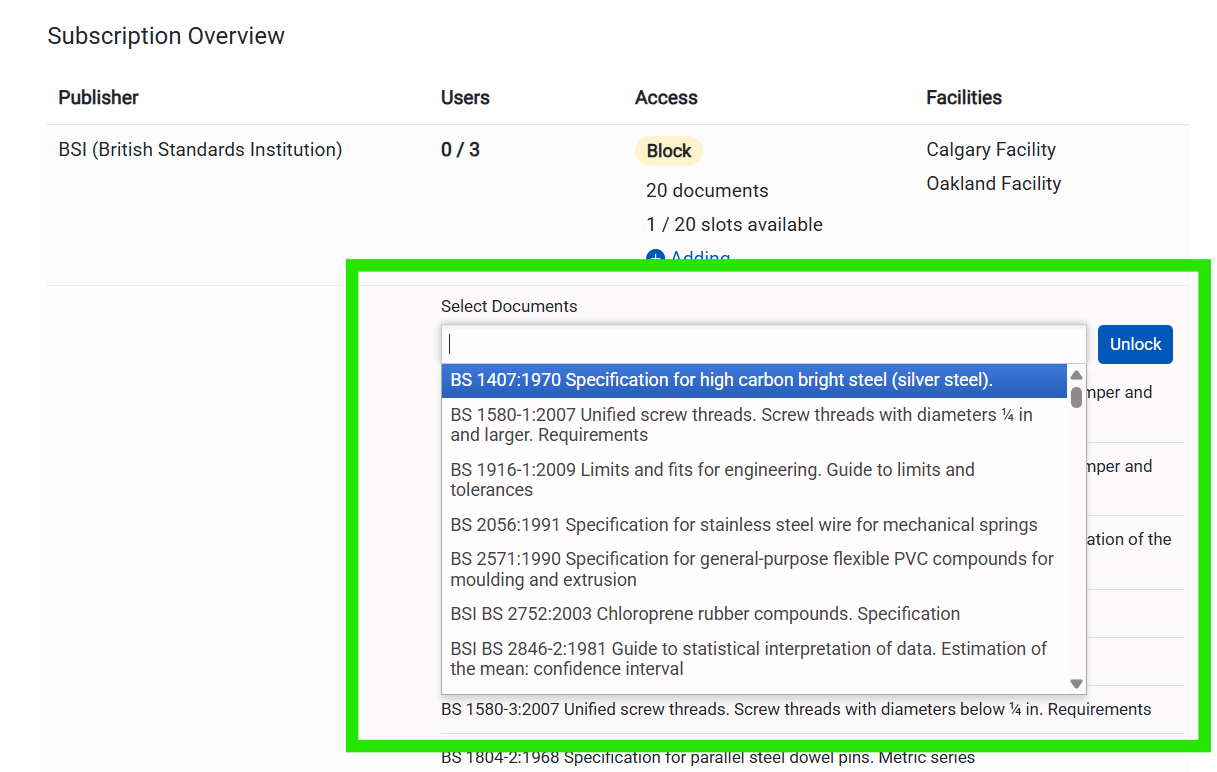
4. Search for the specific Standard that you are wanting to unlock. You can select multiple documents from the same publisher at a time using the dropdown bar.
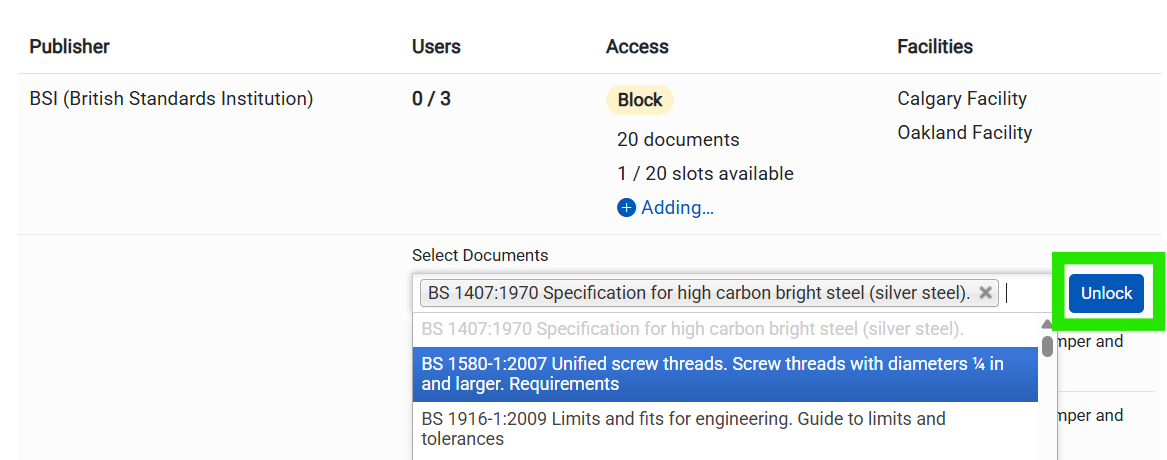
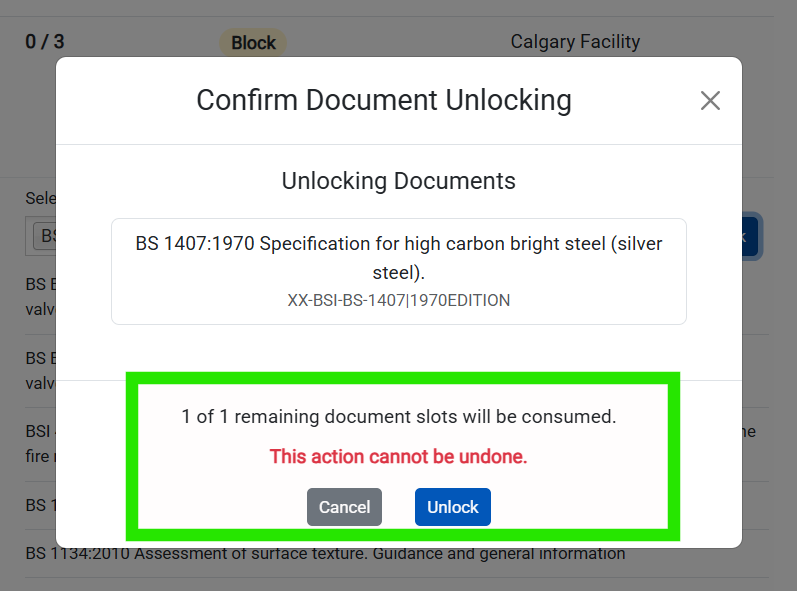
5. Once you click the unlock button, there will be a confirmation window that pops up showing the Standard you selected and the historical versions. It will ask for confirmation that selecting this document consumes a Block slot and the action cannot be undone. Click Unlock again to confirm.
6. The page will reload and the Standard selected will have been added to your subscription, consuming a Block slot.
Note to Admins: Adding a document to a block does NOT automatically add the document to the respective registers or watchlists. Admins will still be required to add the documents from the library.Was this article helpful?
That’s Great!
Thank you for your feedback
Sorry! We couldn't be helpful
Thank you for your feedback
Feedback sent
We appreciate your effort and will try to fix the article