Connected Custom Fields allow you to add an extra field of text that is shared between parent and child documents.
To add a connected custom field to your Register,
- Click the "Add/Remove/Reorder Register Fields button:

- Find the custom field that you would like to connect
- Ensure that both the “Show” and “Connected” boxed are checked
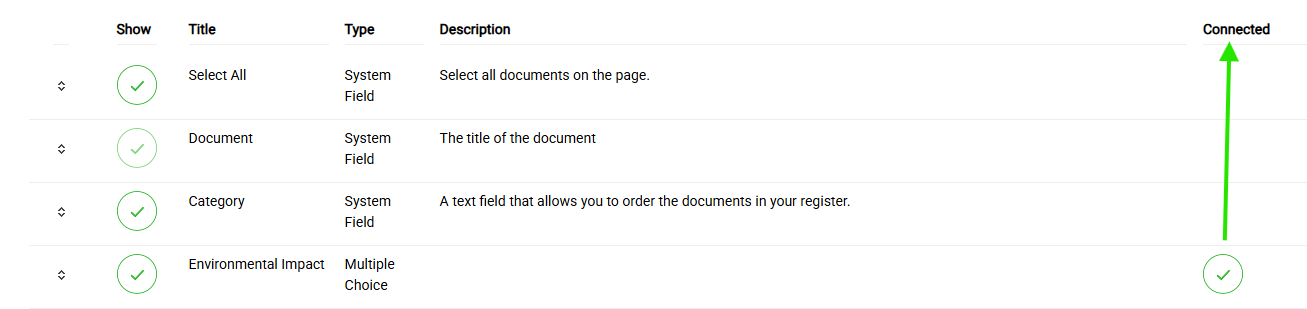
- Your changes made on this page will automatically save
Once you populate the connected custom fields from the Parent Register, the data that you have entered will be visible and editable in the parent Register, and visible but not editable in all child copies of the document.
When you change an unconnected custom field to connected:
- In the Parent: the position of the custom field will not change.
- In the Child: The custom field that was connected will become visible, but not editable, and will show the current value in the parent Register. This newly connected custom field will be positioned to the right and cannot be moved.
Parent Register:
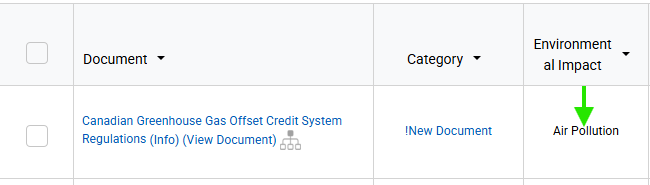
Child Register:

Editing the Connected Status of Custom Fields
To change the connected status of a custom field,
- Click the "Add/Remove/Reorder Register Fields button:
- Find the custom field that you would like to disconnect
- Deselect the "Connected" toggle to remove the Connected relationship for that custom field
- Your changes made on this page will automatically save
When you change a connected custom field to unconnected:
- In the Parent: the position of the custom field will be changed on the edit page and in the Register (Connected custom fields are to the right of unconnected custom fields).
- In the Parent: the position of the custom field will not change.
- In the Child: The unconnected custom field will no longer be visible. All other custom fields in the child will be unchanged.
Was this article helpful?
That’s Great!
Thank you for your feedback
Sorry! We couldn't be helpful
Thank you for your feedback
Feedback sent
We appreciate your effort and will try to fix the article