Clause overwrite restrictions allow account administrators to control which connected clauses can be overwritten by general and restricted users.
How to Enable Clause Overwrite Restrictions
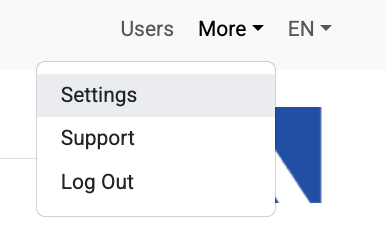
In order to enable the restriction, first select ‘Settings’ in the ‘More’ menu
On the resulting page, scroll down until you reach the ‘Register Settings’ section

Click to check the 'Restrict clause overwriting to responsible party' checkbox
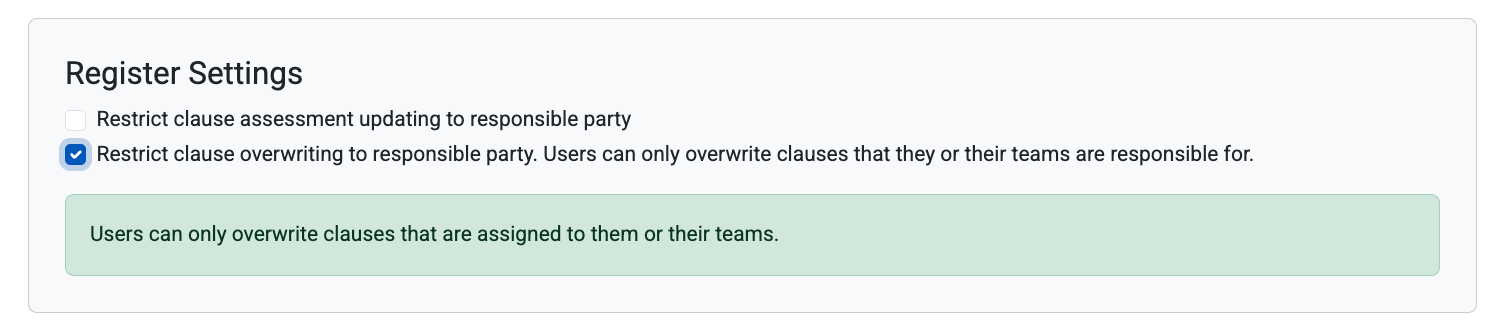
Clause overwriting restrictions are now active in your account
When Clause Overwrite Restrictions are Active
When clause the restriction is active (checkbox is checked), general and restricted users will see the following message on the ‘Clause Review’ page
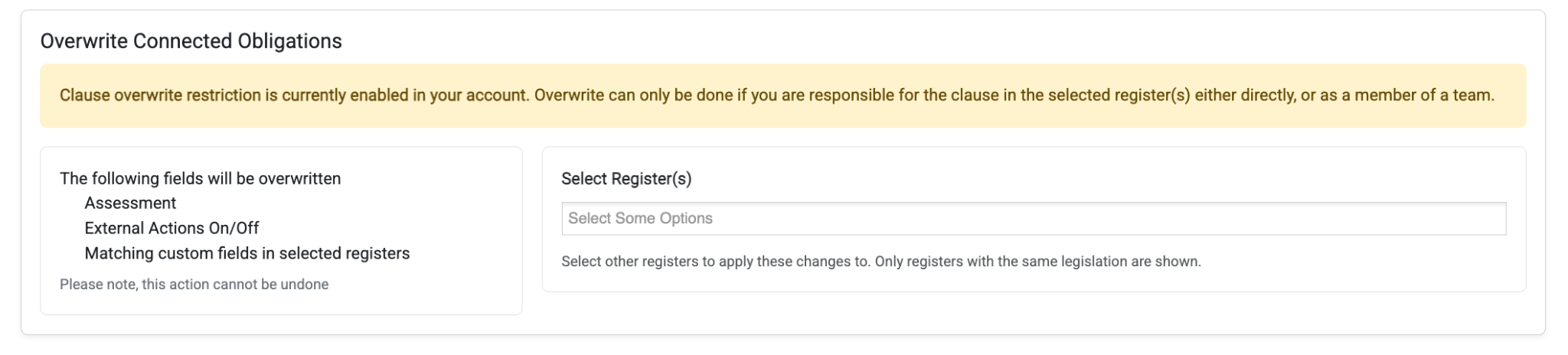
When they perform and overwrite action, child clauses will be overwritten only if one of the following is true:
The user is assigned as the responsible party
The user is a member of the team that is assigned as the responsible party
If neither of these conditions are met for a child clause, it will be ignored (not overwritten).
A Note on Admins
Account admins are not subject to the restriction. They will not see the message on the clause review page, and will still be able to overwrite child clauses even if they are not assigned as the responsible party.
Was this article helpful?
That’s Great!
Thank you for your feedback
Sorry! We couldn't be helpful
Thank you for your feedback
Feedback sent
We appreciate your effort and will try to fix the article