Required Fields are register fields chosen by account administrators that must be populated before a clause can be updated on the Clause Review page.
How to Enable Required Fields
Required fields can be turned on and off by account admins. To do so, click on ‘Facilities’ and select ‘Registers’
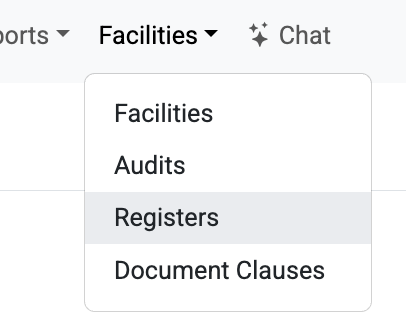
On the resulting page, click on the register you wish to update. Once you reach the register page, click on ‘Edit Columns’

On the resulting page, use the checkboxes in the ‘Required’ column to turn required fields on (checked) and off (unchecked).
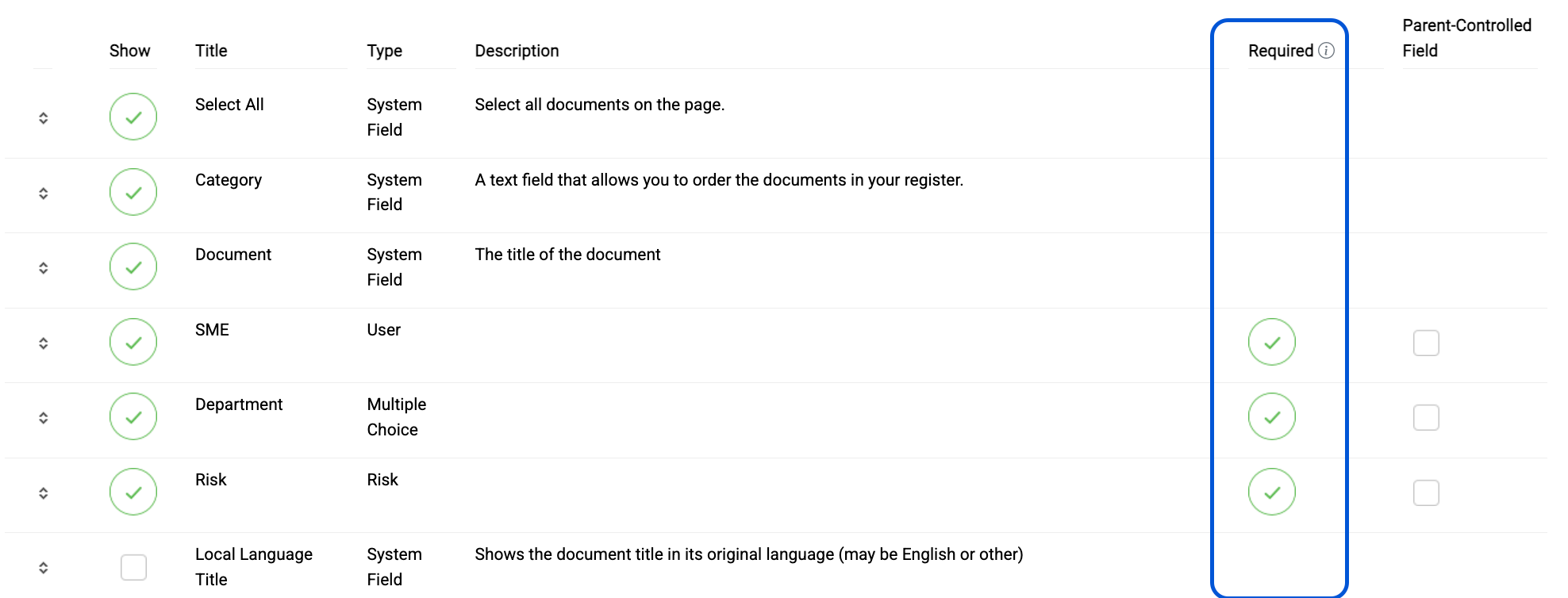
Which Fields can be made mandatory?
Responsible party and all custom fields.
When Required Fields are Enabled
On the ‘Clause Review’ page, users will see a red * next to each required field
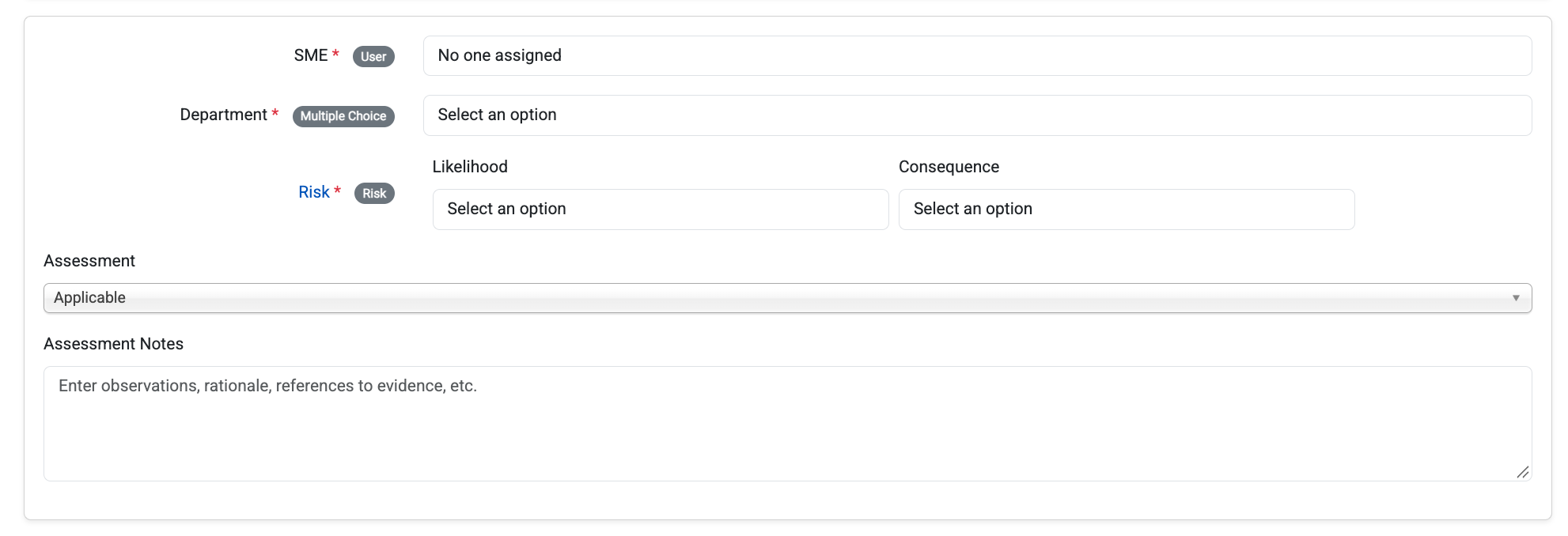
They will also see a message above the save button that warns them that they need to populate all custom fields to Save.

If the user clicks save when one or more required fields are unpopulated, they will see a red error message prompting them to populate all of the fields

Note: Any changes they made prior to saving will remain visible as long as they stay on the page. However, if they leave the page without saving, the changes will be lost.
If the user clicks save when all required fields are populated, they will see a green success message informing them that their changes have been saved

They can now safely leave the page without losing their entries
Was this article helpful?
That’s Great!
Thank you for your feedback
Sorry! We couldn't be helpful
Thank you for your feedback
Feedback sent
We appreciate your effort and will try to fix the article